
The U.S. Census counts every resident in the United States. The U.S. Constitution mandates that this occur every 10 years.
The information the census collects provides state legislatures with population data necessary for legislative redistricting. It also helps determine how more than $675 billion of federal funding is distributed to states and communities each year, according to the Census Bureau, as well as planning work in public and private sectors.
Census Bureau Begins Accepting Count Question Resolution (CQR) Cases Starting January 3, 2022
CQR gives tribal, state, and local officials the opportunity to request the Census Bureau review their official 2020 Census housing counts for potential processing errors. Through this formal review process, the Census Bureau ensures that housing and population counts are correctly allocated to 2020 Census tabulation blocks in the 50 states, District of Columbia and Puerto Rico.
The Census Bureau’s official CQR fact sheet provides summary answers to basic questions about the process. It is available as a PDF document or on the Census Bureau’s website.
For more details about the CQR process, please see: 2020 Census Count Question Resolution (CQR) Operation Details and Timelines
Census 2020 Redistricting Data Released
The Census Bureau released the Redistricting Data file, also known as Public Law 94-171 data, on August 12, 2021. This file contains the block level data required for redistricting, and is the first broad release of Census 2020 results to the public. The redistricting dataset provides several key pieces of information, including the total population by race and hispanic origin, the voting age population (persons age 18 and older) by race and hispanic origin, and the number of occupied (households) and vacant housing units. Data is released for all geographic areas, from census block and tract to communities, school districts, and counties.
SEMCOG has provided a number of tools to access Census 2020 data for the Southeast Michigan region, and will continue to add new information to these tools as more Census data is released.
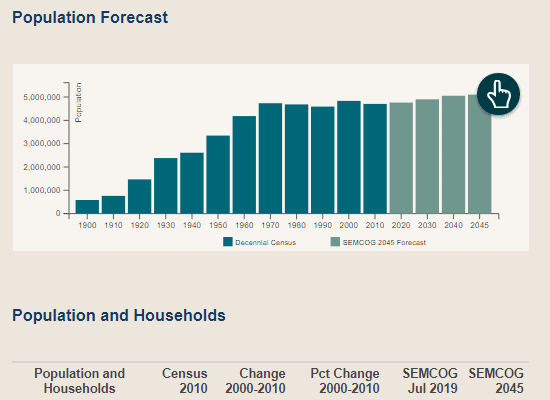
Census 2020 Data in Community Profiles
August 12, 2021
SEMCOG has added Census 2020 population and housing unit data to its Community Profiles web data tool! View 2020 total population, population by race, households, and vacant housing units by community and county, and compare 2020 data to previous Census results.
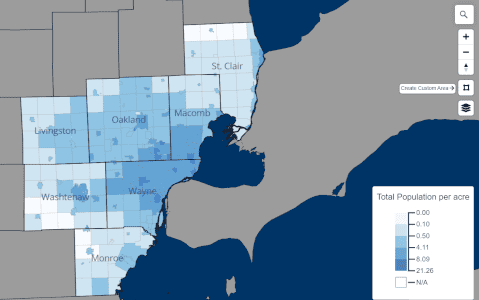
Census 2020 Interactive Map
August 12, 2021
SEMCOG’s new interactive mapping tool displays 2020 census results for every geographic unit in Southeast Michigan! View maps of Census 2020 population, households, and housing units to visualize the distribution of people and housing throughout the region.
Select the geography in which you are interested – County, Community, School District, Census Tract, Block Group, or Block – and zoom into the map. Click on the features on the map to highlight a geographic area and view the Census 2020 results for that area. You can also choose to filter your geography by county or community using the provided lists. The download data feature allows users to download Census 2020 results for the currently selected type of geography.
Create a custom area to view the combined Census 2020 results for multiple geographic units using the “Create Custom Area”  tool. Users can draw a polygon of any shape to select a large number of geographic areas and display the combined Census 2020 results, and this custom feature can be used on any level of geography!
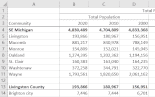
Census 2020 Data Spreadsheet
SEMCOG has prepared an Excel spreadsheet of Census 2020 data for each County, Community, and School District in Southeast Michigan. This spreadsheet contains population, household and housing unit data from Census 2020, as well as the change between 2010 and 2020, providing a useful reference for measuring demographic change in the region.
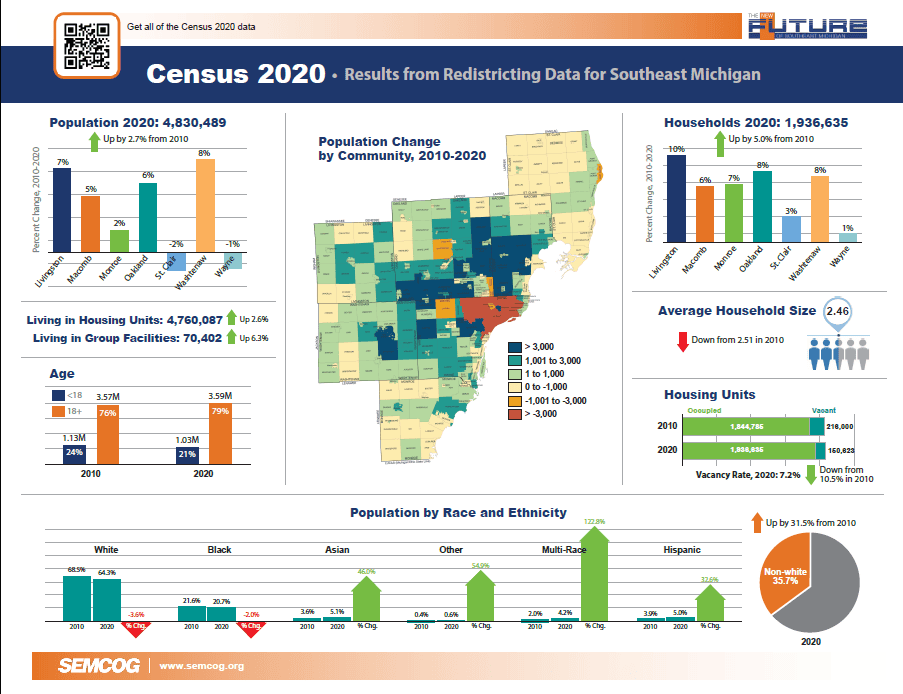
Publication: Census 2020 Results for Southeast Michigan
Quick Facts report highlighting the regional and county trends from Census 2020 results and maps of the Census 2020 data by community.
Census 2020 Preparation
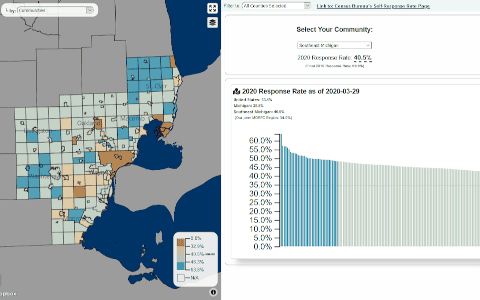
Census 2020 Self-Response Rates Map
This online tool is an interactive map that shows final 2020 Census response rates by county, community, and census tract. The map is linked to a bar chart that is ordered by the response rate. Also included is the 2010 self-response rate, so that users can compare 2020 self-response rates to 2010 for the same area.
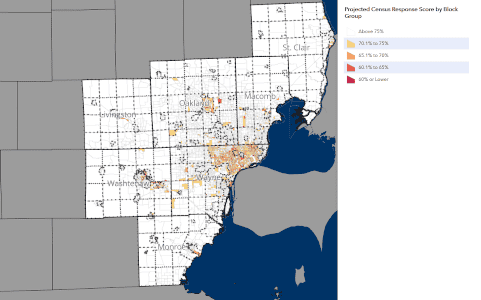
Hard to Count Populations Map
This online tool is an interactive map that identifies census block groups in Southeast Michigan that may have populations that are more difficult to count than average. These data was created to aid in efforts to get a complete count for the 2020 Census, but may be useful to other local outreach efforts.
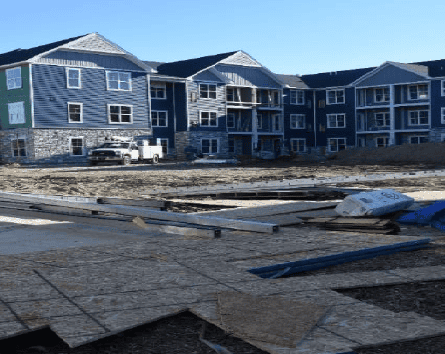
Census 2020 New Construction Program
June 12, 2019
The U.S. Census Bureau invited local governments to participate in the 2020 Census New Construction Program. The New Construction Program provides local governments an opportunity to update the Census Bureau’s residential address list with living quarters for which construction is in progress during or after March 1, 2018, with completion expected by Census Day – April 1, 2020.
The New Construction Program is voluntary. Participation helps ensure an accurate population count for local governments. The Census Bureau relies on a complete and accurate address list to reach every living quarters and associated population for inclusion in the decennial census.
Participant Statistical Areas Program (PSAP)
February 28, 2019
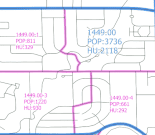
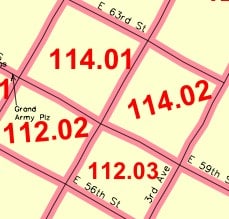
One year before the census is actually taken, census tracts and block-groups need to be reviewed and revised because of growth or decline in population and housing units in certain areas. The so-called “2020 Census Participant Statistical Areas Program” (or PSAP) is the only opportunity for updating geographies prior to the 2020 Census.
SEMCOG is designated by the U.S. Census Bureau as the lead agency to review and update census geography for the Southeast Michigan region. SEMCOG worked with county planners to review all the proposed tract and block-group boundaries to ensure they meet the criteria for data publication and best serve local needs.
Proposed Criteria for 2020 Census Tracts and Block Groups
April 16, 2018
The U.S. Census Bureau published federal register notices on the proposed criteria for 2020 geographic areas such as tracts and block groups. SEMCOG responded to make it clear that township boundaries are acceptable tract and block group lines, as well as allowing employment tracts and block groups.

Local Update of Census Addresses Operation (LUCA)
April 16, 2018
The purpose of this program is to improve the accuracy and completeness of the Census Bureau’s address list. Many communities in the region participated in this program.
Media Toolkit
The materials in this toolkit have been created and assembled to enable local governments and stakeholders in Southeast Michigan to promote participation in the 2020 U.S. Census. For questions, contact Trevor Layton.
Video
How to use…
- Click on links below to access videos.
- Share on social media; link in e-newsletters, or embed on your website.
- Contact Jon Clark for original video files for use on your TV station or other media platform.
Video links:
- Southeast Michigan Counts!
Social media images
How to use…
Suggested posting schedule and captions for social media (PDF, MS Word)
- Click on language of choice for each image below.
- When image opens in new window, right click to “Save image as…”
- Suggested posting schedule and captions for social media (PDF, MS Word)
Images:
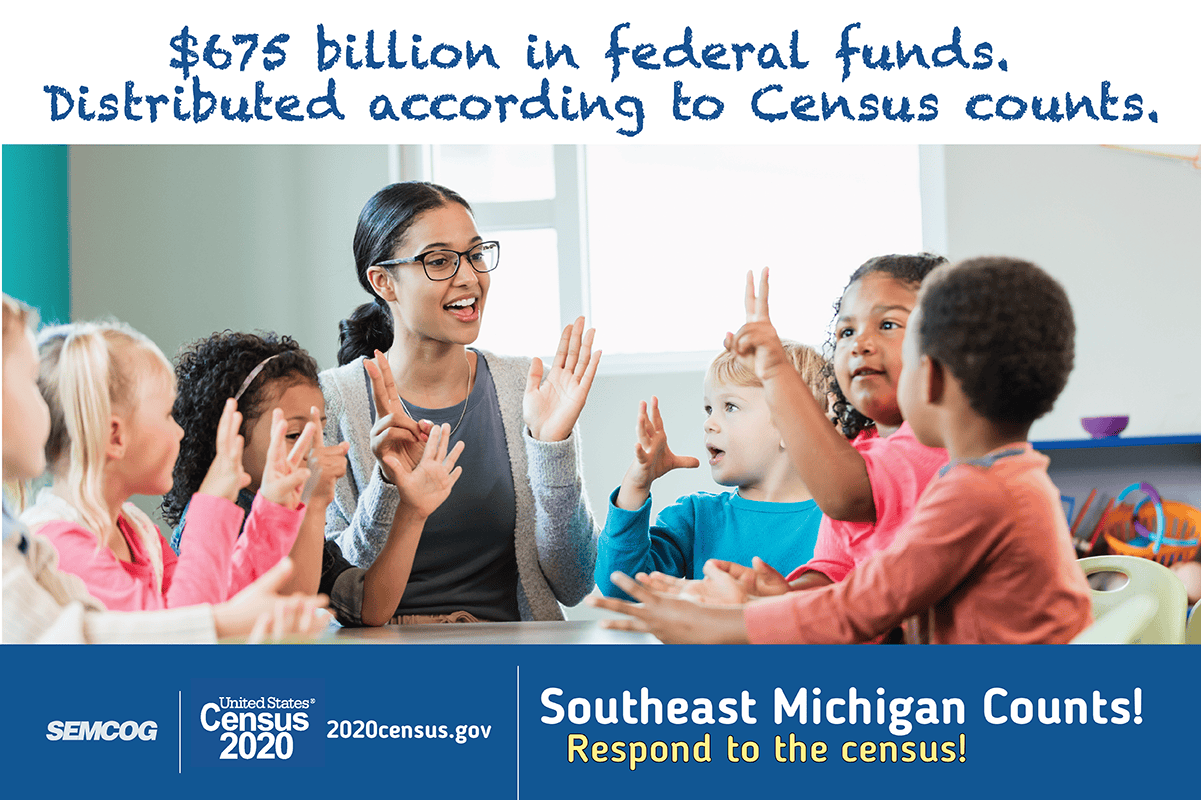
- $675 billion in federal funds (English, Spanish, Arabic)
- Bring federal dollars to your community (English, Spanish, Arabic)
- Census information is private and confidential (English, Spanish, Arabic)
- Complete the Census for full representation (English, Spanish, Arabic)
- Count your kids (English, Spanish, Arabic)
- Everyone counts (English, Spanish, Arabic)
- It’s easy (English, Spanish, Arabic)
- Renters count (English, Spanish, Arabic)
- Students count (English, Spanish, Arabic)
Flyers (8.5×11)
How to use…
- Click on language of choice for each file below.
- When file opens in new window, select option to download from browser or right-click to “Save as…”
- Print on-demand distribute
Flyer files:
- $675 billion in federal funds (English, Spanish, Arabic)
- Bring federal dollars to your community (English, Spanish, Arabic)
- Census information is private and confidential (English, Spanish, Arabic)
- Complete the Census for full representation (English, Spanish, Arabic)
- Count your kids (English, Spanish, Arabic)
- Everyone counts (English, Spanish, Arabic)
- It’s easy (English, Spanish, Arabic)
- Renters count (English, Spanish, Arabic)
- Students count (English, Spanish, Arabic)
Community newsletter article template
How to use…
- Click on link below to view newsletter template.
- Copy and paste text.
- Edit to your preference for use in your community newsletter, on your website, etc.
- Add images, links to any other products from this toolkit in your article.
Additional materials from U.S. Census Bureau
Why Census matters
- 2020 Census at a glance (English, Spanish)
- Census 101 (English, Spanish, Arabic)
- General FAQs
- Poster about education (English, Spanish, Arabic)
- Poster about healthcare (option 1, option 2)
- Why we ask each 2020 Census question (English, Spanish, Arabic)
How it works
- 2020 Census is accessible for everyone
- Brochure about residence criteria (English, Spanish, Arabic)
- Fact sheet for group housing
- Fact sheet for homeless audiences (option 1, option 2)
- Fact sheet for Immigrant and foreign-born audience
- Informational sample: individual questionnaire (English, Spanish)
- Responding in Spanish
Confidentiality
- 2020 Census and confidentiality (English, Spanish, Arabic)
- Confidentiality poster (English, Spanish, Arabic)
- Fact sheet: 2020 Census safety and security
Targeted audiences
- Fact sheet: Counting young children (English, Spanish, Arabic)
- Fact sheet for African-American audiences
- Fact sheet for Asian-American audiences
- Fact sheet for Hispanic audiences
- Fact sheet for military
- Fact sheet for property managers
- Fact sheet for renters (option 1, option 2)
- Fact sheet for rural audiences (option 1, option 2)
- FAQ: Counting young children
- Poster about counting young children (English option 1, English option 2, Arabic)
- Poster for LGBTQ audiences (option 1, option 2)
Other
- PSA toolkit
- More available at 2020census.gov